
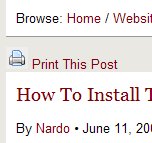
 Originally I was planning to publish on of my sites, ACoffeeAday.com, on the Joomla platform. One of the things that attracted me in Joomla was the fact that it automatically ads “Print this”, a PDF maker and dynamic font size adjustment features to each and every page. As a usability consultant by profession I really value these accessibility features.
I found Joomla a little difficult to master, however. Even with the Designing Joomla! book on my desk and a nice free template I could not get the pages to look the way I wanted them to look. This is probably due to the fact that I know a little bit about HTML and CSS, but cannot do more than vaguely analyzing other programming languages.
Enter WordPress…
I found it much easier to adjust WordPress so that it does what I want it to do, and I find the Admin section much less intimidating than Joomla’s. So, now I have to make some adjustments to WordPress in order to make it truly mine…
The WP-Print Plug in for WordPress
It can be downloaded from Lester ‘GaMerZ’ Chan‘s page. There are also instructions on how to install and configure the plugin. With so many plugins almost running on auto-pilot it was a little tricky that this WP-Print plugin does require you to insert some code into the template. It is all explained on his Usage page.
If you want the plugin to work, you need to:
- Install the “WP-Print” folder into your (WordPress) “plugins” folder
- Activate the plug in from your plugins admin panel
- Go into your permalinks settings to confirm the settings (sorry – not sure why; does anybody know?)
- Find <?php while (have_posts()) : the_post(); ?> and then put <?php if(function_exists(‘wp_print’)) { print_link(); } ?> behind it. Where you put it will determine where it will be shown: above or underneath your text. In the template used for ACoffeeADay.com I could not find the <?php while (have_posts()) : the_post(); ?> code in the page.php file, but the plug in still works if I post it somewhere in the area where the content is being called.
- Edit your template files for the home page (index.php?), single post (single.php?), single page (page.htm?)
And that’s it. It worked for me :o)
I hope you find this plugin helpful too.
